- Home
- Tatta for Retail
Reorder before your best-selling items run out.
See which products have dropped below their minimum stock and turn them into a purchase order right away. Sales and customer payments from every store are recorded in one place, so profit and loss per store is available at any time, without a manual month-end recap.

Problems that show up as you open more stores
- Challenge 1
Best-sellers run out before anyone notices
Tatta lists products whose stock is below the minimum, so purchasing can reorder before the shelf is empty.
- Challenge 2
Store sales recaps only arrive at month-end
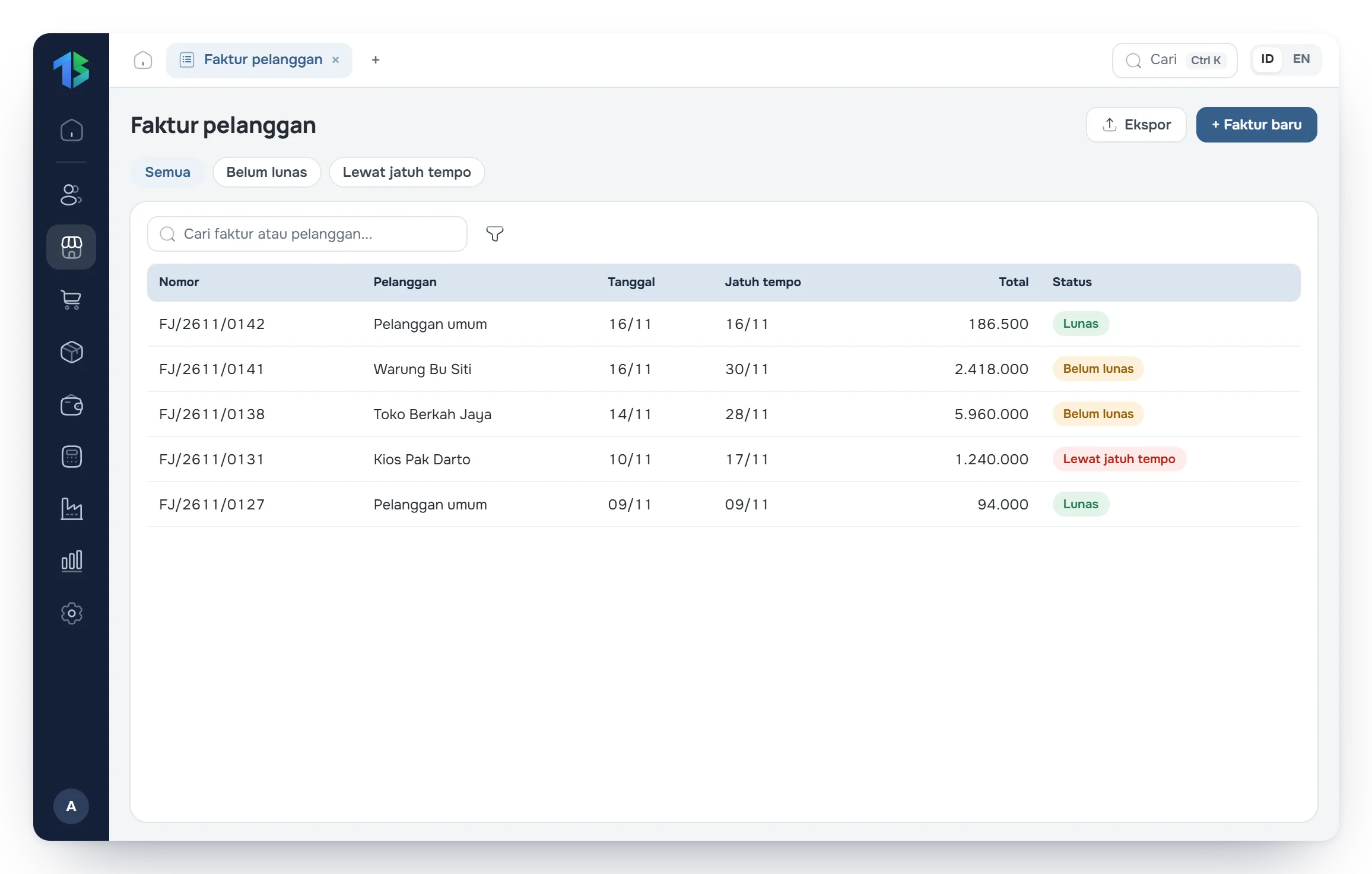
Sales recorded at each store go straight into the reports. Profit and loss per store or combined is available at any time.
- Challenge 3
Stock discrepancies are hard to trace
Every goods receipt, sale, transfer between stores, and stock count adjustment is recorded with its own document.
Tatta for retail
Here is how Tatta solves it
The views below follow Tatta menus set up for this kind of business.
Reorder before store shelves run empty.
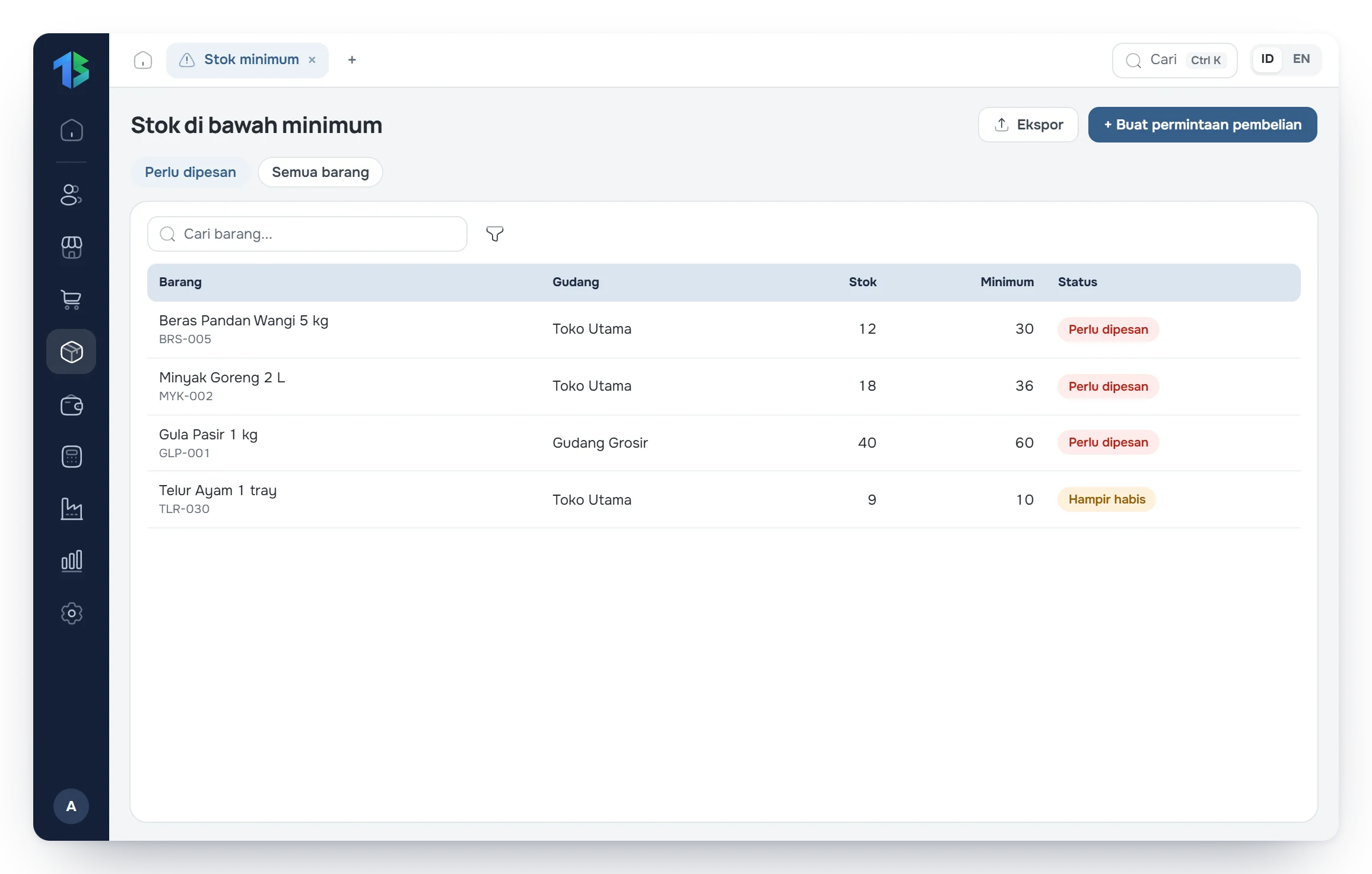
Set a minimum stock level for each product. Tatta lists the products that have dropped below it; pick the ones to replenish and turn them into a supplier purchase order without retyping.
- Minimum stock level per product
- Minimum stock list turned straight into a purchase order
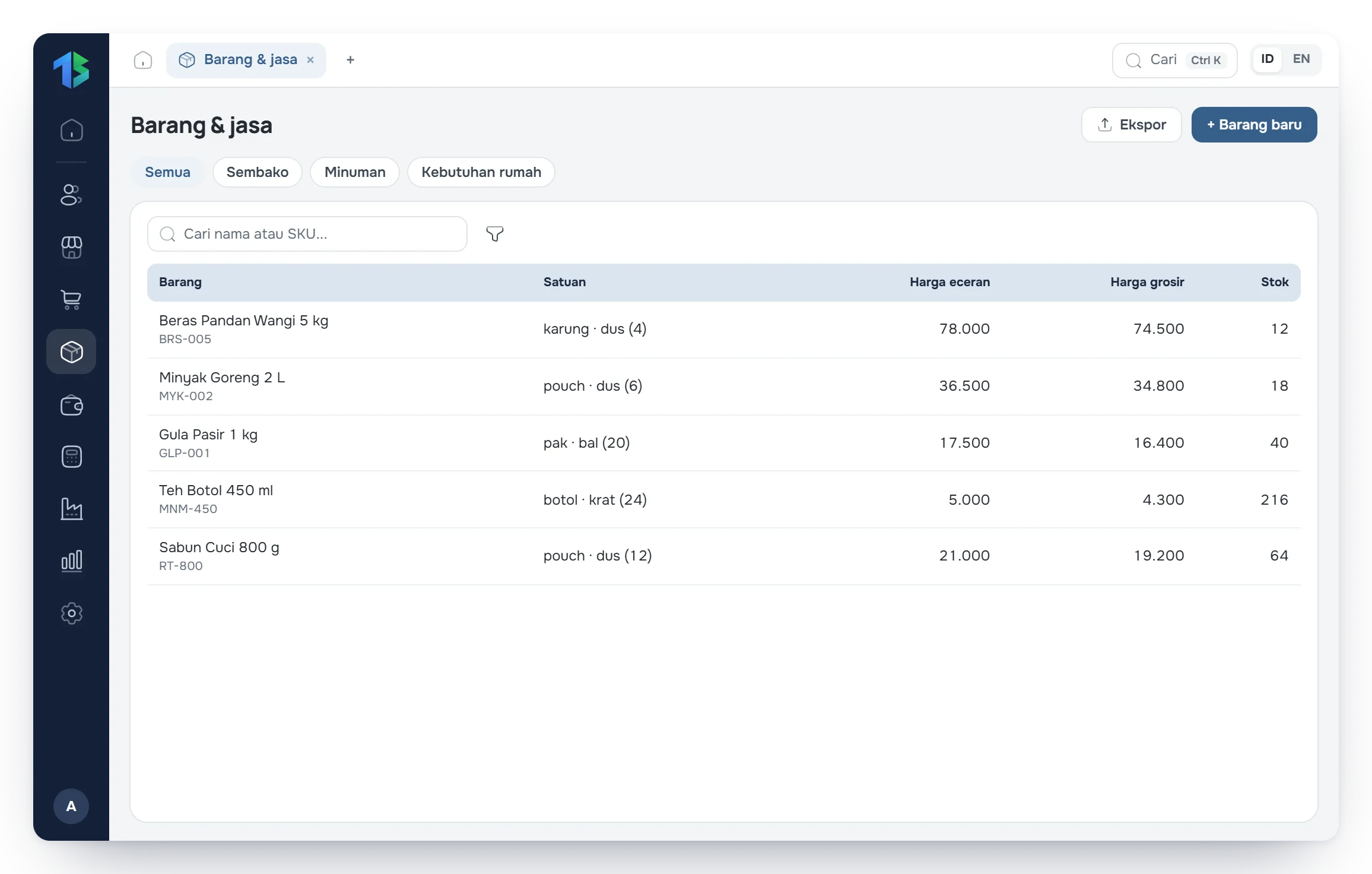
- Remaining stock per store shown in Stock by warehouse
Your workflow in Tatta
The routine for retail, from recording data to reading the reports.
Step 1: Receive goods from suppliers at the central warehouse or directly at a store.
Step 2: Record daily sales and customer payments.
Step 3: Move stock between stores with a Transfer when one store has too much and another too little.
Step 4: Create reorder purchase orders from the Minimum stock list.
FAQ
Frequently asked questions
Can't find your answer? Our team can help over chat, WhatsApp or email.