- Home
- Tatta for Professional services
Bill clients on time, with every contract attached.
Create invoices with your company logo and numbering format, attach the client contract or PO to the same invoice, then follow the payments until it is settled. Journals are created automatically from the invoices and payments you record.

Your team's time belongs with clients, not with manual billing
- Challenge 1
Invoices and bookkeeping done twice in different apps
Create invoices with your company logo directly in Tatta, and the journals are created automatically.
- Challenge 2
Contracts, work orders, and tax slips scattered across folders
Attach the contract to its invoice and the withholding slip to its payment, so they are easy to find when needed.
- Challenge 3
Retainer and milestone invoices followed up too late
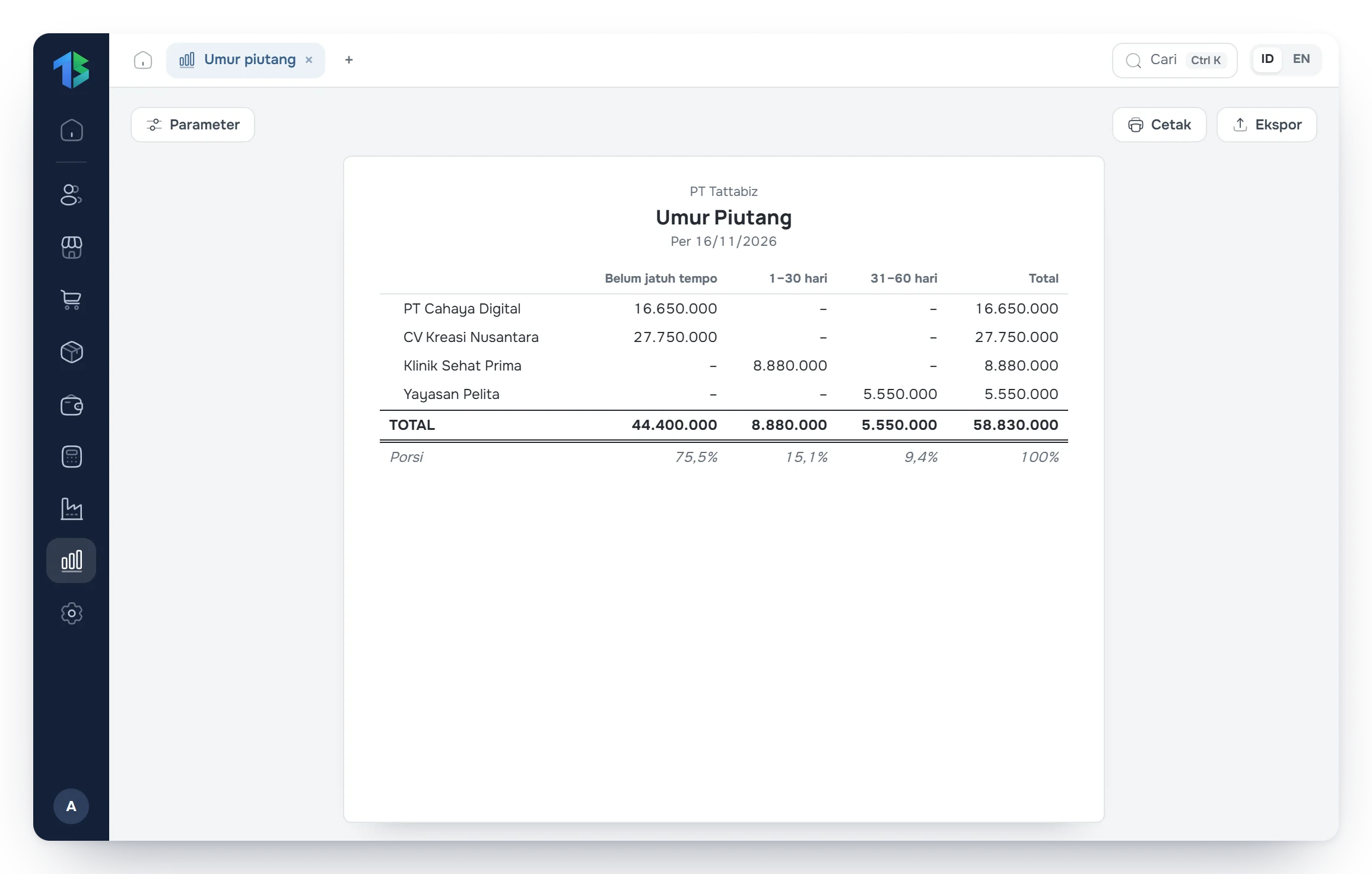
The receivables aging report shows invoices already past due, so collections can be scheduled before cash flow suffers.
Tatta for professional services
Here is how Tatta solves it
The views below follow Tatta menus set up for this kind of business.
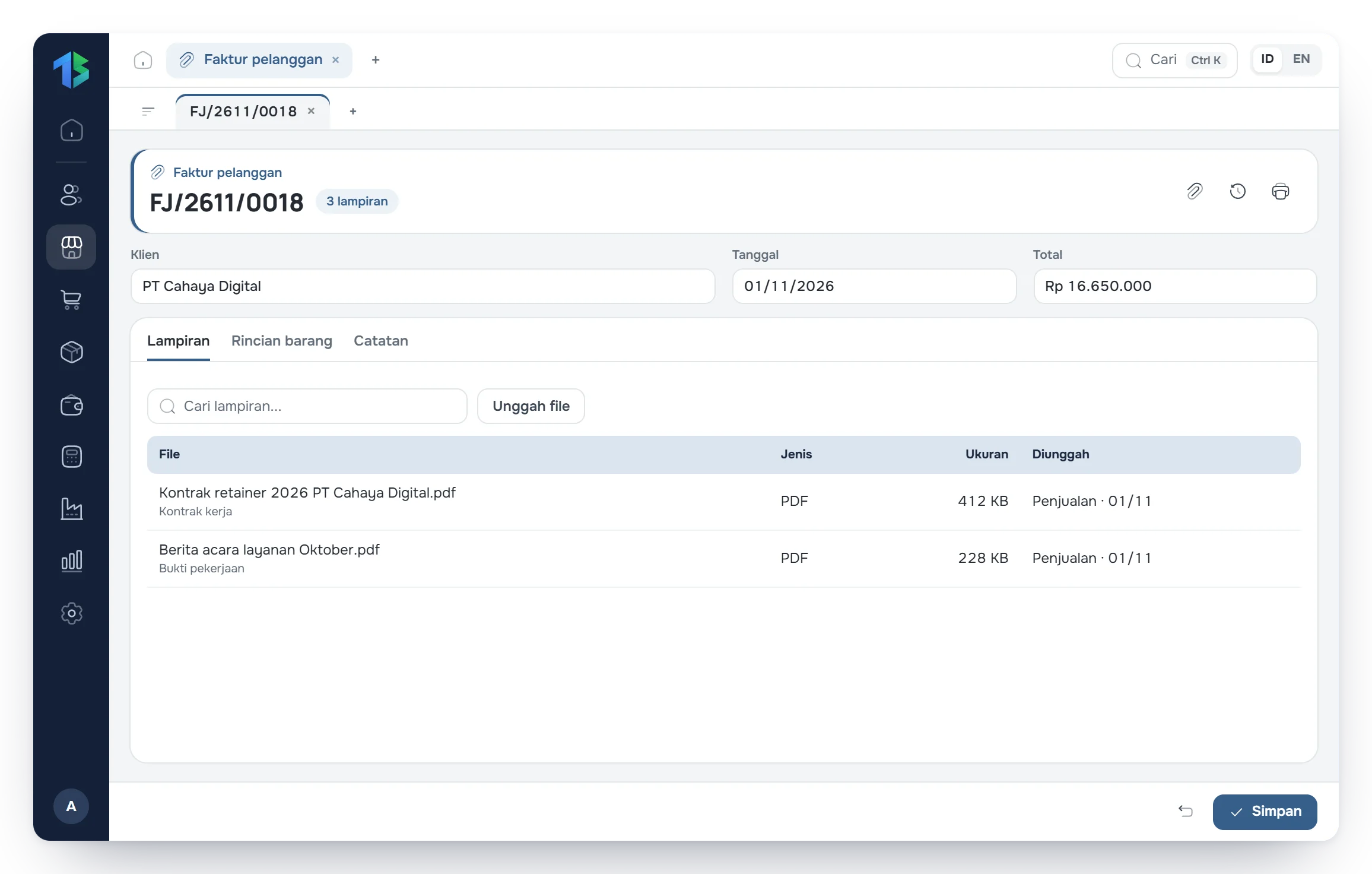
Client contracts and POs stay with their invoices.
Upload the service agreement, client PO, or handover certificate to the related invoice, and the transfer slip or withholding slip to its payment. When a client or auditor asks, every supporting file opens from the transaction.
- Client contracts and POs attached to the invoice
- Transfer slips and withholding slips attached to the payment
- PDF, images, Word, and Excel up to 10 MB per file
Your workflow in Tatta
The routine for professional services, from recording data to reading the reports.
Step 1: Set up your company's services as products of type Service.
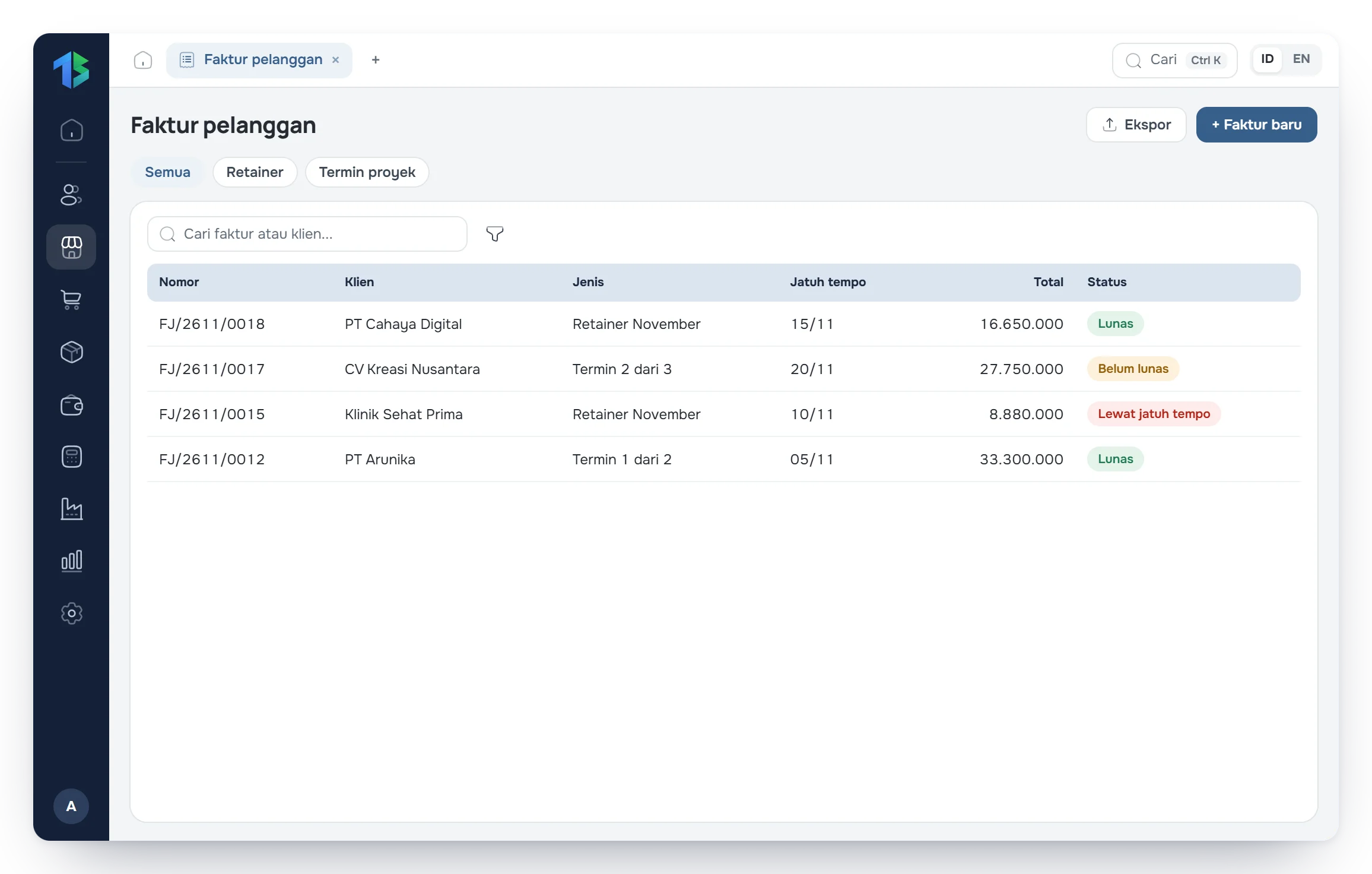
Step 2: Send a quotation, then create the invoice and attach the client contract.
Step 3: Record client payments, including income tax withheld by the client.
Step 4: Review receivables aging and profit and loss every month.
FAQ
Frequently asked questions
Can't find your answer? Our team can help over chat, WhatsApp or email.